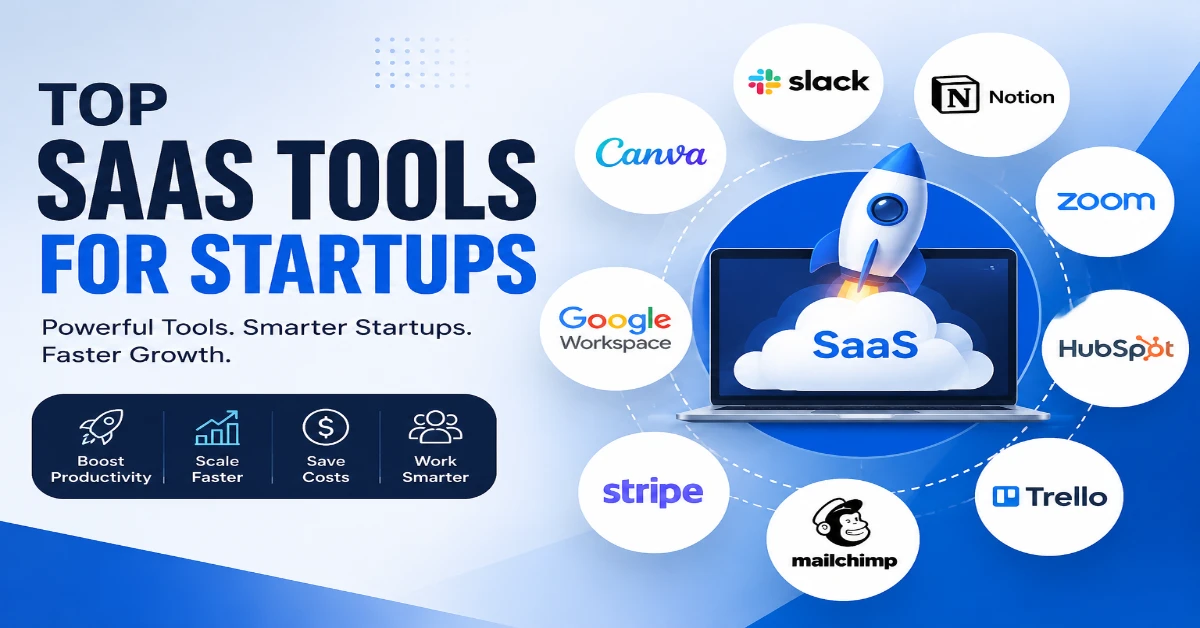
Top SaaS tools for startups can make running a new business easier by simplifying everyday tasks and reducing the need for expensive infrastructure. From managing projects and communicating with teams to handling customer relationships and tracking finances, founders have to make dozens of decisions every day. Software as a Service (SaaS) platforms give startups access to powerful business software through the internet, usually with a monthly or annual subscription. Instead of purchasing servers or installing complex programs, businesses can quickly subscribe to the tools they need and scale their usage as they grow. In this guide, we’ll explore some of the best SaaS solutions for startups, including platforms for project management, communication, CRM, marketing, accounting, automation, analytics, and productivity. The right combination can help a startup reduce operational costs, improve collaboration, and focus more energy on building products and serving customers.
Quick Comparison of the Top SaaS Tools for Startups
| SaaS Tool | Best For | Category | Free Option |
| Slack | Team communication | Communication | Yes |
| Notion | Documentation and knowledge management | Productivity | Yes |
| HubSpot | CRM and sales | CRM & Marketing | Yes |
| Trello | Simple task management | Project Management | Yes |
| Asana | Advanced project management | Project Management | Yes |
| Google Workspace | Email and collaboration | Productivity | No |
| Canva | Graphic design and marketing | Design | Yes |
| QuickBooks | Accounting and bookkeeping | Finance | No |
| Stripe | Online payments | Payments | No |
| Mailchimp | Email marketing | Marketing | Yes |
| Zapier | Workflow automation | Automation | Yes |
| Figma | UI/UX design | Design | Yes |
| GitHub | Software development | Development | Yes |
| Intercom | Customer support | Customer Service | No |
| Google Analytics | Website analytics | Analytics | Yes |
What Are SaaS Tools for Startups?
SaaS tools are cloud-based software applications that users access through a web browser or mobile app. The provider manages the infrastructure, updates, security, and maintenance, while the customer typically pays a recurring subscription.
For startups, SaaS solutions can be particularly valuable because they offer flexibility. A small team may start with a basic plan and upgrade as the company gains customers and employees.
Common examples of startup SaaS software include:
- Project management platforms
- Customer relationship management (CRM) systems
- Team communication apps
- Accounting software
- Email marketing platforms
- Cloud storage services
- Design and collaboration tools
- Business analytics platforms
- Automation software
Instead of building every business system from scratch, startups can combine specialized SaaS applications to create a flexible technology stack.
Why Startups Need the Best SaaS Tools
Choosing the right startup software can have a major impact on productivity and operational efficiency. A small team usually has limited time and resources, so automation and streamlined workflows are extremely important.
The best SaaS tools for startups can help businesses:
- Reduce repetitive manual work
- Improve team communication
- Organize projects and deadlines
- Manage customer relationships
- Track business expenses
- Automate marketing campaigns
- Analyze business performance
- Store and share documents
- Support remote and hybrid teams
However, startups should avoid subscribing to every tool that looks interesting. Too many disconnected applications can create unnecessary expenses and complicated workflows.
The goal should be to build a lean SaaS stack that solves real business problems.
Top SaaS Tools for Startups
Below are some of the most useful categories and platforms that startups can consider when building their technology stack.
1. Slack – Team Communication
Effective communication is essential for growing teams. Slack provides organized channels where employees can discuss projects, share files, and communicate without relying entirely on email.
Startups can create separate channels for departments, projects, clients, or specific topics. Integrations with other applications can also bring notifications and updates directly into relevant channels.
For startups with remote or distributed teams, a centralized communication platform can make collaboration much easier.
Best for: Team messaging, remote collaboration, and workplace communication.
2. Notion – Workspace and Knowledge Management
Notion has become a popular choice for startups that want to organize information in one flexible workspace. Teams can use it for documentation, project planning, meeting notes, company wikis, and internal knowledge bases.
One advantage of Notion is its flexibility. A startup can create customized workspaces based on its own processes rather than being restricted to a single workflow.
It can be particularly useful for documenting standard operating procedures (SOPs) and onboarding new employees.
Best for: Documentation, knowledge management, notes, and team workspaces.
3. HubSpot – CRM and Marketing
Customer relationships become increasingly important as a startup grows. HubSpot provides tools for CRM, marketing, sales, customer service, and automation.
A startup can use a CRM to organize customer information, track leads, monitor sales opportunities, and maintain a history of interactions.
For early-stage companies, having a centralized customer database can reduce the risk of losing important information across spreadsheets and separate applications.
Best for: CRM, sales management, marketing, and customer service.
4. Trello – Simple Project Management
Trello uses boards, lists, and cards to help teams organize tasks visually. Its simple interface makes it easy for new teams to get started without extensive training.
A startup might create columns such as “Backlog,” “In Progress,” “Review,” and “Completed” to manage daily work.
Trello is especially useful for small teams that want straightforward task management rather than a complex project management system.
Best for: Task management, content planning, and simple workflows.
5. Asana – Advanced Project Management
Asana is another popular project management solution for startups. It provides features for assigning tasks, setting deadlines, managing projects, and tracking progress.
Compared with simpler task boards, Asana can provide more structure for growing teams handling multiple projects simultaneously.
Startups can use it to coordinate product development, marketing campaigns, hiring processes, and operational tasks.
Best for: Project planning, task management, and team coordination.
6. Google Workspace – Productivity and Collaboration
Google Workspace combines essential productivity applications such as Gmail, Google Docs, Google Sheets, Google Drive, and Google Meet.
For many startups, this can serve as the foundation of their digital workplace. Team members can collaborate on documents in real time and access files from different devices.
The platform is particularly useful for startups that want a familiar productivity environment without managing their own email and file servers.
Best for: Email, cloud storage, documents, spreadsheets, and video meetings.
7. Canva – Startup Design and Marketing
Not every startup can afford a dedicated graphic designer for every marketing task. Canva makes it easier for teams to create social media graphics, presentations, advertisements, and other visual materials.
Its templates and drag-and-drop editor allow non-designers to create professional-looking content quickly.
However, startups should still maintain consistent brand guidelines to ensure their visual identity remains professional across different platforms.
Best for: Social media graphics, presentations, marketing materials, and basic design.
8. QuickBooks – Accounting and Financial Management
Financial management is one area where startups should avoid unnecessary complexity. Accounting software can help businesses track income, expenses, invoices, and other financial information.
QuickBooks is widely used by small businesses for bookkeeping and financial management.
However, software should not replace professional financial advice. Startups dealing with taxes, payroll, investment, or complex accounting matters should consult a qualified accountant or financial professional.
Best for: Accounting, bookkeeping, invoices, and financial tracking.
9. Stripe – Online Payments
For startups selling digital products, subscriptions, or online services, payment processing is a critical part of the customer experience.
Stripe provides payment infrastructure that businesses can integrate into websites and applications.
Its tools can support online payments and subscription-based business models, making it relevant for many SaaS startups and digital businesses.
Best for: Online payments, subscriptions, and digital commerce.
10. Mailchimp – Email Marketing
Email remains an important marketing channel for startups. Mailchimp provides tools for creating email campaigns, managing subscribers, and analyzing campaign performance.
A startup can use email marketing to nurture leads, announce new products, share educational content, and maintain relationships with existing customers.
The key is to focus on providing useful content rather than sending excessive promotional messages.
Best for: Email campaigns, newsletters, and audience engagement.
11. Zapier – Workflow Automation
One of the biggest advantages of SaaS applications is the ability to connect different tools. Zapier helps businesses automate workflows between applications.
For example, a startup could create an automation that adds a new lead to a CRM when someone submits a form.
Automation can save time, but startups should first understand their processes before automating them. Automating a poorly designed workflow can simply make mistakes happen faster.
Best for: Business automation and connecting different SaaS applications.
12. Figma – Product and UI Design
Startups building websites, applications, and digital products often need a collaborative design environment. Figma allows designers and other team members to work together on interface designs and prototypes.
Product managers and developers can also review designs and provide feedback during the development process.
This collaborative approach can reduce misunderstandings between design and development teams.
Best for: UI/UX design, prototyping, and collaborative product development.
13. GitHub – Software Development and Collaboration
Technology startups need reliable tools for managing code and collaborating with developers. GitHub provides repositories and collaboration features that support software development workflows.
Development teams can use version control, code reviews, issue tracking, and other features to manage projects.
For startups developing software products, a structured development workflow can improve code quality and make collaboration easier.
Best for: Software development, version control, and developer collaboration.
14. Intercom – Customer Support and Engagement
As a startup gains users, customer support becomes increasingly important. Intercom provides tools designed to help businesses communicate with customers through messaging and support channels.
Startups can use customer communication platforms to answer questions, guide new users, and identify common problems.
The best customer support strategy combines technology with human assistance when customers need personalized help.
Best for: Customer support, messaging, and user engagement.
15. Google Analytics – Website and Marketing Insights
Data can help startups understand how visitors interact with their websites and digital products. Google Analytics provides analytics capabilities that can help businesses measure traffic and user behavior.
Instead of focusing only on traffic numbers, startups should identify meaningful metrics connected to business goals.
For example, an e-commerce startup might focus on conversion rates, while a SaaS company may monitor trial signups and product engagement.
Best for: Website analytics, user behavior, and performance measurement.
How to Choose the Best SaaS Tools for Your Startup
With hundreds of SaaS platforms available, selecting the right tools can be difficult. Start by identifying your most important business problems.
Consider the following questions:
What Problem Does the Tool Solve?
Avoid choosing software simply because it is popular. Ask whether it solves a genuine problem for your business.
Can Your Team Learn It Quickly?
A powerful platform is not useful if employees struggle to understand it. Consider usability and onboarding requirements.
Does It Integrate With Your Existing Tools?
Integrations can prevent data from becoming isolated across multiple applications. Before purchasing a tool, check whether it connects with the software you already use.
Is the Pricing Sustainable?
Startup budgets can change quickly. Look beyond the initial price and consider future costs as your team and customer base grow.
Does It Protect Your Business Data?
Security should be a priority. Review the provider’s security practices, access controls, data policies, and compliance information before storing sensitive business data.
A Practical SaaS Stack for an Early-Stage Startup
A small startup does not need 20 different applications on day one. A simple technology stack might include:
- Google Workspace for email and documents
- Slack for team communication
- Notion for internal documentation
- Trello or Asana for project management
- HubSpot for CRM
- Canva for basic marketing design
- Stripe for payments
- Zapier for automation
As the business grows, specialized tools can be added when there is a clear need.
This approach helps prevent SaaS sprawl, where a company accumulates too many subscriptions and disconnected systems.
SaaS Trends Startups Should Watch in 2026
The SaaS industry continues to evolve, and startups should pay attention to several important trends.
AI-Powered SaaS
Artificial intelligence is becoming part of many business applications. AI features can help automate repetitive tasks, summarize information, analyze data, and improve productivity.
However, startups should evaluate AI features based on accuracy, privacy, and practical business value rather than adopting them simply because they are trendy.
Greater Workflow Automation
Businesses are increasingly connecting different applications to reduce manual data entry and repetitive processes. Automation can become especially valuable as startups grow.
More Flexible Pricing Models
SaaS providers continue to experiment with different pricing structures, including usage-based and tiered plans. Startups should carefully evaluate pricing because costs can increase as usage grows.
Focus on Data Security
As companies store more business information in cloud applications, security and privacy are becoming increasingly important. Startups should carefully evaluate vendors before giving them access to sensitive data.
Final Thoughts on the Top SaaS Tools for Startups
The top SaaS tools for startups are not necessarily the platforms with the longest feature lists. The best tools are the ones that solve real problems, fit your team’s workflow, and provide enough flexibility to support future growth.
A startup might begin with a simple combination of Google Workspace, Slack, Notion, a project management platform, and a CRM. As operations become more complex, the business can introduce specialized tools for accounting, automation, payments, customer support, analytics, and product development.
The most important lesson is to build your SaaS stack intentionally. Review your subscriptions regularly, remove tools that are no longer useful, and make sure every platform has a clear purpose.
When selected carefully, SaaS tools for startup businesses can help small teams operate more efficiently, collaborate better, automate repetitive work, and compete with larger organizations. The right technology stack will not guarantee success, but it can give founders and teams more time to focus on what matters most: creating valuable products, serving customers, and building a sustainable business. Also read Growth Navigate Startup Tools
Frequently Asked Questions About SaaS Tools for Startups
The best SaaS tools for startups depend on the company’s specific needs. Tools such as Slack, Notion, HubSpot, Trello, Asana, Google Workspace, and Zapier can help with communication, documentation, CRM, project management, productivity, and automation.
A startup does not need a large number of SaaS applications from the beginning. It is better to start with essential tools for communication, productivity, project management, and customer relationships. Additional software can be introduced as the business grows and new needs arise.
Yes, SaaS tools can be valuable for startups because they provide access to business software without requiring companies to build and maintain their own infrastructure. Startups can choose the services they need and scale their subscriptions as their teams and operations grow.
Startups should consider the tool’s features, ease of use, pricing, scalability, integrations, and data security. It is also important to determine whether the software solves a genuine business problem rather than adding unnecessary complexity.
The most important SaaS categories can include project management, team communication, CRM, accounting, marketing, automation, analytics, design, and customer support. The right combination depends on the startup’s industry, team size, and stage of growth.
Yes, many SaaS providers offer free plans or free versions with limited features. These can be useful for early-stage startups with small teams and limited budgets. As the company grows, it may need to upgrade to paid plans for additional features, users, storage, or integrations.
Startups can avoid SaaS sprawl by reviewing their software subscriptions regularly, removing tools that are no longer needed, and choosing platforms that integrate with existing systems. Every SaaS application should have a clear purpose and provide measurable value to the business.