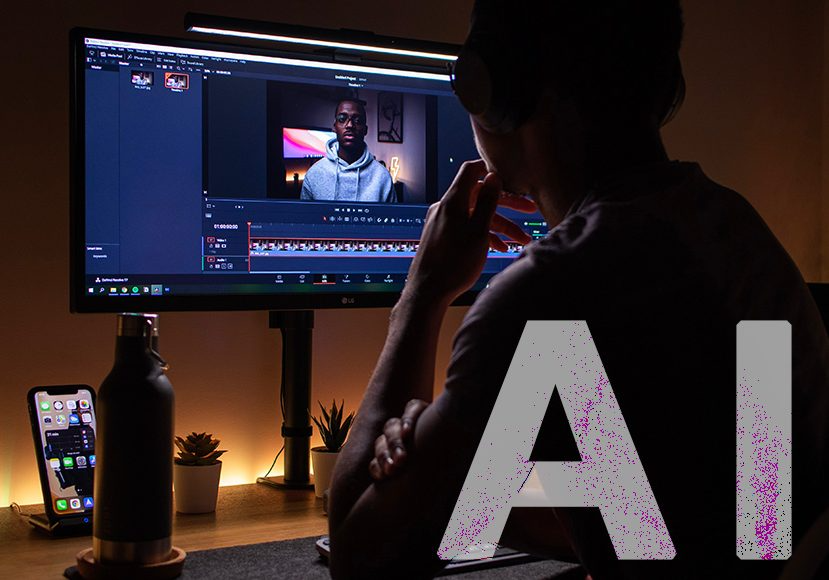
Best AI Video Editing Tools are transforming the way creators produce content, helping businesses, YouTubers, marketers, and social media professionals create high-quality videos faster than ever. Editing videos manually can be time-consuming, but AI-powered solutions streamline the process and boost productivity.
Artificial intelligence has completely changed the video editing industry. Modern AI-powered video editors can automatically cut clips, remove background noise, generate captions, create transitions, enhance visuals, and even produce videos from simple text prompts. These smart features help creators save hours of work while maintaining professional quality.Some advanced platforms can also generate voiceovers, create realistic AI avatars, translate videos into multiple languages, and optimize content for different social media platforms. These intelligent features not only save countless hours of editing time but also help businesses, marketers, YouTubers, educators, and social media creators produce professional-looking content with minimal effort. As AI technology continues to evolve, video editing is becoming smarter, faster, and more efficient, making it possible for anyone to create engaging, high-quality videos regardless of their editing experience.
In this guide, we will explore the best AI video editing software available today. Whether you are a beginner, content creator, marketer, or professional editor, these tools can improve your workflow and help you create stunning videos faster.
Why Use AI Video Editing Tools?
Traditional video editing often requires advanced skills, powerful hardware, and a significant investment of time. Editors must manually cut and arrange clips, synchronize audio, add transitions, correct colors, create subtitles, remove unwanted sections, and optimize videos for different platforms. For beginners, this process can feel overwhelming and time-consuming. AI video editing tools simplify the entire workflow by automating many repetitive and technical tasks. Instead of spending hours making small adjustments, creators can use artificial intelligence to automatically trim footage, detect important moments, generate captions, improve audio quality, remove background noise, and apply professional effects with just a few clicks.
Benefits of AI-powered video editing include:
- Faster editing process
- Automatic subtitles and captions
- Smart scene detection
- Background noise removal
- Auto-generated highlights
- Professional transitions and effects
- Easy content repurposing
- Improved productivity
With AI, creators can focus more on storytelling and creativity rather than spending hours on technical editing tasks.
1. Adobe Premiere Pro AI
Adobe Premiere Pro remains one of the most powerful video editing platforms. Adobe has integrated advanced AI features through its Sensei technology. In recent years, Adobe has significantly enhanced the platform by integrating advanced artificial intelligence capabilities through its Adobe Sensei technology. These AI-powered features help users automate repetitive tasks, speed up editing workflows, improve accuracy, and focus more on creativity rather than manual work. From automatic scene detection and intelligent audio enhancement to AI-generated captions and object selection tools, Adobe Sensei transforms complex editing processes into faster and more efficient tasks.
Key Features
- AI-powered object removal
- Automatic color correction
- Speech enhancement
- Text-based editing
- Auto reframing for social media
- Smart scene detection
Best For
Professional video editors, agencies, filmmakers, and content creators.
Pros
- Industry-leading editing capabilities
- Powerful AI tools
- High-quality output
- Excellent integrations
Cons
- Higher learning curve
- Monthly subscription required
Adobe Premiere Pro is among the best AI video editing software options for professionals who need maximum control and advanced editing features.
2. Descript
Descript has transformed video editing by allowing users to edit videos as easily as editing a text document. Instead of working directly on a complex timeline, users can simply modify the automatically generated transcript, and the video updates accordingly. This innovative approach makes video editing more accessible to beginners while significantly speeding up workflows for professionals.
Key Features
- Text-based video editing
- Automatic transcription
- AI voice cloning
- Screen recording
- Background noise removal
- Caption generation
Best For
Podcasters, YouTubers, educators, and online marketers.
Pros
- Easy to use
- Fast workflow
- Excellent transcription accuracy
- Great collaboration features
Cons
- Limited advanced visual effects
Descript is perfect for creators who produce educational videos, podcasts, and talking-head content.
3. Runway
Runway is one of the most innovative AI video editing platforms available today.
Key Features
- AI video generation
- Text-to-video creation
- Object removal
- Motion tracking
- Green screen without chroma key
- AI image generation
Best For
Creative professionals, filmmakers, and social media creators.
Pros
- Cutting-edge AI features
- Easy cloud-based access
- Excellent visual effects
Cons
- Some advanced features require premium plans
Runway is becoming a favorite choice among creators looking for next-generation AI-powered video production.
4. CapCut AI Editor
CapCut has rapidly gained popularity among TikTok, Instagram, and YouTube creators.
Key Features
- Auto captions
- AI effects
- Background removal
- AI avatars
- Smart transitions
- Text-to-speech tools
Best For
Short-form content creators and social media marketers.
Pros
- Beginner-friendly
- Free version available
- Mobile and desktop support
Cons
- Limited advanced professional editing tools
CapCut is one of the best AI editing tools for creating viral social media videos.
5. Wondershare Filmora AI
Filmora combines simplicity with powerful AI capabilities.
Key Features
- AI copywriting tools
- Smart cutout
- Audio enhancement
- AI thumbnail creation
- Motion tracking
- Text-based editing
Best For
Beginners and intermediate editors.
Pros
- User-friendly interface
- Affordable pricing
- Powerful AI functions
Cons
- Some premium effects require extra purchases
Filmora offers an excellent balance between ease of use and professional results.
6. Pictory
Pictory is designed specifically for transforming written content into engaging videos.
Key Features
- Blog-to-video conversion
- AI voiceovers
- Automatic captions
- Stock media integration
- Social media optimization
Best For
Bloggers, marketers, and businesses.
Pros
- Fast content repurposing
- No editing experience required
- Cloud-based platform
Cons
- Less control over advanced edits
Pictory helps businesses convert articles and blog posts into engaging video content quickly.
7. InVideo AI
InVideo AI simplifies video creation through artificial intelligence.
Key Features
- Text-to-video generation
- AI script creation
- Voiceovers
- Templates
- Automatic editing
Best For
Marketing teams, agencies, and small businesses.
Pros
- Quick video production
- Large template library
- Beginner-friendly
Cons
- Advanced customization can be limited
InVideo AI is ideal for users who want professional videos without spending hours editing.
8. VEED.IO
VEED.IO is a browser-based AI video editing platform with powerful automation features.
Key Features
- Automatic subtitles
- AI voice generation
- Video translation
- Screen recording
- Text-to-video tools
Best For
Content creators and remote teams.
Pros
- No software installation needed
- Fast processing
- Easy collaboration
Cons
- Internet connection required
VEED.IO is a strong choice for teams working on online content creation.
9. Synthesia
Synthesia focuses on AI-generated presenters and virtual avatars.
Key Features
- AI avatars
- Text-to-video
- Multiple languages
- Voice cloning
- Corporate training videos
Best For
Businesses, educators, and training organizations.
Pros
- Professional avatar videos
- No cameras required
- Supports many languages
Cons
- Limited traditional editing features
Synthesia is revolutionizing corporate video production through AI-powered virtual presenters.
10. DaVinci Resolve AI
DaVinci Resolve combines Hollywood-level editing with powerful AI tools.
Key Features
- Facial recognition
- Smart reframing
- Object masking
- Audio enhancement
- Professional color grading
Best For
Professional editors and filmmakers.
Pros
- Advanced editing tools
- Exceptional color correction
- Free version available
Cons
- Steeper learning curve
DaVinci Resolve remains one of the best professional AI video editing software solutions on the market.
How to Choose the Best AI Video Editing Tool
Not every AI editor is suitable for every user. Consider these factors before choosing a platform.
Skill Level
Beginners may prefer:
- CapCut
- Filmora
- InVideo
Professionals may prefer:
- Adobe Premiere Pro
- DaVinci Resolve
- Runway
Content Type
For social media:
- CapCut
- VEED.IO
For business videos:
- Synthesia
- Pictory
For professional productions:
- Premiere Pro
- DaVinci Resolve
Budget
Some AI video editing platforms offer free plans, while others require subscriptions.
Popular free options include:
- CapCut
- DaVinci Resolve
- VEED.IO
AI Features Needed
Different tools specialize in different tasks.
Examples:
- AI avatars: Synthesia
- Text-to-video: Runway
- Blog-to-video: Pictory
- Automatic transcription: Descript
Future of AI Video Editing
The future of AI-powered video editing looks incredibly promising. Emerging technologies continue to improve automation, creativity, and efficiency.
Upcoming trends include:
- Real-time AI video generation
- Advanced voice cloning
- Automated storytelling
- Personalized video creation
- Hyper-realistic AI avatars
- AI-powered script writing
As artificial intelligence becomes more advanced, video creation will become faster, more affordable, and accessible to everyone.
Final Thoughts
The Best AI Video Editing Tools are changing the way videos are created. Whether you are a beginner creating social media content or a professional producing commercial projects, AI can dramatically improve your workflow.
Tools like Adobe Premiere Pro, Runway, Descript, CapCut, Filmora, Pictory, InVideo, VEED.IO, Synthesia, and DaVinci Resolve each offer unique advantages. The right choice depends on your goals, budget, and editing experience.
By using modern AI video editing software, you can save time, improve quality, and create engaging content that stands out in today’s competitive digital landscape. As AI technology continues to evolve, video creators will have even more powerful tools to produce professional content with less effort and greater creativity.
Frequently Asked Questions (FAQs)
Some of the best AI video editing tools in 2026 include Adobe Premiere Pro, Runway, Descript, CapCut, Wondershare Filmora, Pictory, InVideo AI, VEED.IO, Synthesia, and DaVinci Resolve. These platforms offer powerful AI features such as automatic editing, caption generation, voice enhancement, and text-to-video creation.
AI video editing tools use artificial intelligence and machine learning algorithms to automate video production tasks. They can analyze footage, identify key moments, generate captions, remove background noise, improve video quality, and create professional edits with minimal user input.
Yes. Many AI-powered video editors are designed specifically for beginners. Tools like CapCut, Filmora, InVideo AI, and VEED.IO provide simple interfaces and automated features that make video editing easy even for users with no prior experience.
Yes. Modern AI video editing software can automatically trim clips, remove silences, generate subtitles, create transitions, enhance audio, and even produce complete videos from text prompts. This significantly reduces manual editing time.
Some of the best free AI video editing tools include CapCut, DaVinci Resolve, VEED.IO, and the free versions of Filmora and Descript. These platforms offer powerful AI features without requiring a large investment.
YouTube creators often prefer Descript, Adobe Premiere Pro, CapCut, and DaVinci Resolve because they offer features such as automatic captions, audio enhancement, smart editing, and social media optimization.
Yes. Several AI video generators, including Runway, InVideo AI, Synthesia, and Pictory, can create videos directly from text prompts, scripts, or blog articles. This makes content creation faster and more efficient.
Absolutely. AI video editing tools save time, improve productivity, and help creators produce professional-quality videos with less effort. They are especially valuable for businesses, marketers, YouTubers, educators, and social media creators who regularly publish video content.
When choosing an AI video editor, look for features such as automatic captions, text-based editing, AI voice generation, background noise removal, scene detection, video enhancement, text-to-video generation, and social media optimization.
The future of AI video editing includes real-time video generation, advanced voice cloning, hyper-realistic AI avatars, automated storytelling, personalized content creation, and smarter editing workflows. AI technology will continue making video production faster, easier, and more accessible.