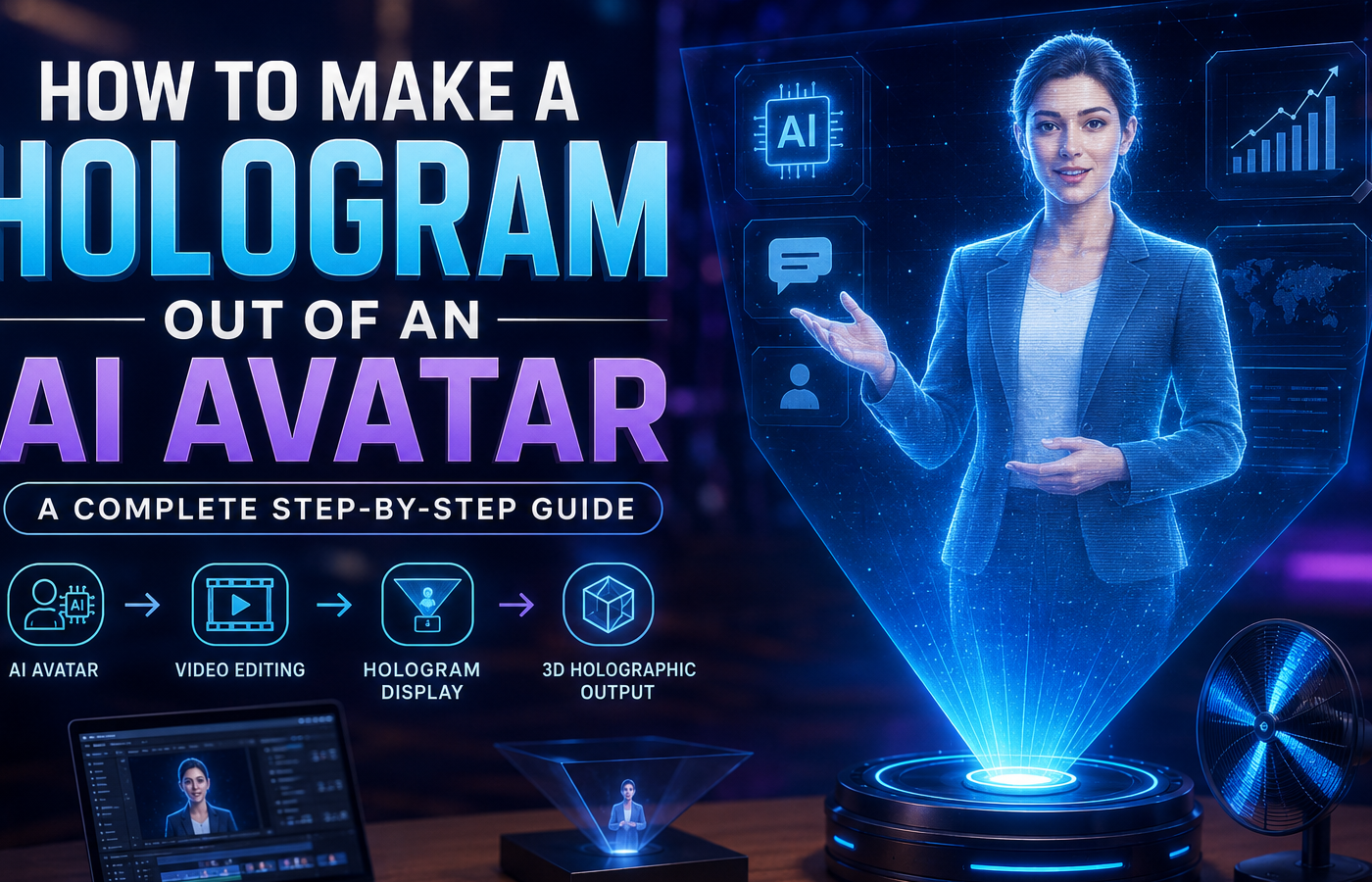
How to make a hologram out of an AI avatar is one of the most exciting topics in modern digital technology. AI avatars are becoming increasingly popular in marketing, education, entertainment, virtual events, and customer service. Businesses and creators are now looking for ways to transform these digital characters into realistic holographic experiences.
Imagine standing on a stage while your AI-generated avatar appears as a floating hologram. It can talk, move, gesture naturally, and interact with your audience in real time. This technology is no longer limited to science fiction movies or futuristic research labs. As artificial intelligence continues to evolve, AI avatars are becoming more realistic, expressive, and capable of delivering engaging presentations, answering questions, and representing brands or individuals in innovative ways. When combined with holographic projection technology, these digital characters can create memorable experiences that capture attention and enhance communication.
In this guide, you will learn everything about creating a hologram from an AI avatar. We will cover the required tools, software, hardware, and the complete process from start to finish.
What Is an AI Avatar?
An AI avatar is a digital character powered by artificial intelligence. It can represent a real person or a completely fictional character.These intelligent digital personas use advanced technologies such as machine learning, natural language processing, computer vision, and voice synthesis to communicate naturally with users. Depending on the platform, an AI avatar can answer questions, present information, provide customer support, deliver training sessions, or act as a virtual host during events and presentations.
AI avatars can:
- Speak naturally
- Respond to questions
- Show facial expressions
- Move realistically
- Present information
- Interact with users
Many businesses use AI avatars for customer support, training videos, and online presentations.
Popular AI avatar platforms include:
- Synthesia
- HeyGen
- D-ID
- Colossyan
- Elai.io
These platforms allow users to create professional avatars without advanced animation skills.
What Is a Hologram?
A hologram is a visual projection that appears three-dimensional. Unlike traditional video, holograms create the illusion that an object or person exists in physical space.
Modern holograms are commonly used for:
- Product launches
- Live events
- Concerts
- Education
- Museums
- Trade shows
- Business presentations
When combined with AI avatars, holograms create highly immersive experiences.
Why Create a Hologram from an AI Avatar?
There are many benefits.
Better Audience Engagement
People pay more attention to holographic presentations than standard videos.
Futuristic Brand Image
Businesses appear innovative and technologically advanced.
Cost Savings
You can present remotely without traveling.
24/7 Availability
An AI hologram can operate continuously without breaks.
Global Reach
The same avatar can communicate with audiences worldwide.
Tools Required to Make a Hologram Out of an AI Avatar
Before starting, gather the necessary tools.
AI Avatar Generator
Choose one of the following:
- Synthesia
- HeyGen
- D-ID
- Elai.io
Video Editing Software
You may need:
- Adobe Premiere Pro
- Final Cut Pro
- DaVinci Resolve
- CapCut
Hologram Display Solution
Options include:
- Hologram fan displays
- Pepper’s Ghost projection setup
- Holographic display screens
- Transparent OLED displays
Green Screen Background
This helps remove unwanted backgrounds and improves hologram quality.
Step 1: Create Your AI Avatar
The first step is generating your avatar.
Choose an AI avatar platform.
Upload your photo or select a pre-made avatar.
Customize:
- Hair style
- Clothing
- Voice
- Language
- Accent
- Facial expressions
Write your script and generate the video.
Export the final avatar video in high resolution.
For best results, use:
- 1080p or 4K resolution
- Transparent background if available
- Smooth animations
Step 2: Remove the Background
A clean background is essential for holographic projection.
If your AI platform supports transparent video exports, use that option.
If not, remove the background using:
- Adobe After Effects
- CapCut
- Canva Pro
- Runway ML
The goal is to isolate the avatar completely.
The final result should only contain the avatar with no visible background.
Step 3: Prepare the Hologram Video
Now optimize the video for holographic display.
Different hologram systems require different video formats.
For Hologram Fans
Keep the avatar centered.
Use a transparent or black background.
For Pepper’s Ghost Displays
Create a four-sided hologram video layout.
This layout places the avatar on:
- Top
- Bottom
- Left
- Right
The reflections create a floating holographic effect.
Video editing software can help create this format.
Step 4: Add Realistic Effects
To make the hologram look futuristic, add effects such as:
Light Glows
Add subtle glow effects around the avatar.
Particle Effects
Small particles enhance realism.
Holographic Lines
Digital scanning lines create a futuristic appearance.
Motion Tracking
Smooth movement improves immersion.
Do not overuse effects.
Keep the design professional.
Step 5: Choose the Right Hologram Display Technology
There are several display options available.
Hologram Fan Displays
These use rotating LED blades.
Advantages:
- Affordable
- Easy setup
- Bright display
Best for:
- Retail stores
- Exhibitions
- Marketing displays
Pepper’s Ghost Setup
This is one of the oldest holographic techniques.
Advantages:
- Low cost
- Easy to build
Best for:
- Home projects
- Educational demonstrations
Transparent OLED Displays
These displays create premium holographic effects.
Advantages:
- Professional appearance
- High image quality
Best for:
- Corporate presentations
- Luxury showrooms
Holographic Projection Screens
These provide large-scale holographic experiences.
Advantages:
- Massive audience reach
- Stunning visuals
Best for:
- Conferences
- Concerts
- Product launches
Step 6: Test the Holographic AI Avatar
Before presenting to an audience, perform testing.
Check:
- Brightness
- Video quality
- Audio synchronization
- Viewing angles
- Motion smoothness
Make adjustments where necessary.
Small improvements can significantly enhance the final experience.
Adding AI Interaction to Your Hologram
A static hologram is impressive.
An interactive hologram is even better.
You can connect your AI avatar with:
- ChatGPT
- Voice recognition systems
- Custom AI assistants
- Customer support platforms
This allows users to communicate directly with the holographic avatar.
The avatar can answer questions in real time.
Best Use Cases for AI Avatar Holograms
Business Presentations
Present information in a memorable way.
Customer Service
Deploy virtual assistants in stores and offices.
Education
Create engaging classroom experiences.
Healthcare
Provide patient information through interactive avatars.
Events and Conferences
Capture audience attention instantly.
Museums
Bring historical figures to life.
Common Mistakes to Avoid
Many beginners make these errors.
Low Resolution Videos
Always use HD or 4K exports.
Poor Lighting
Bad lighting reduces hologram visibility.
Cluttered Backgrounds
Keep backgrounds clean or transparent.
Overcomplicated Effects
Too many effects look unprofessional.
Ignoring Display Compatibility
Always check display requirements before exporting.
Future of AI Avatar Holograms
The future looks extremely promising.
Advancements in artificial intelligence and display technology are making holograms more realistic every year.
Future holographic AI avatars may include:
- Full-body motion capture
- Real-time emotional responses
- Natural conversations
- Gesture recognition
- Multi-language communication
- Augmented reality integration
Businesses that adopt these technologies early can gain a significant competitive advantage.
Final Thoughts
Learning how to make a hologram out of an AI avatar opens exciting opportunities for creators, businesses, educators, and marketers. By combining AI avatar technology with holographic displays, you can create memorable and futuristic experiences that capture attention instantly.
The process involves creating an AI avatar, removing the background, preparing hologram-friendly video content, selecting the right display technology, and testing the final projection. With modern AI tools and affordable holographic hardware, creating professional holographic avatars is now easier than ever.
As AI and hologram technology continue to evolve, the possibilities will become even more impressive. Whether you want to enhance customer engagement, deliver interactive presentations, or build innovative marketing campaigns, AI avatar holograms represent the next generation of digital communication.
Frequently Asked Questions (FAQ) – How to Make a Hologram Out of an AI Avatar
An AI avatar hologram is a digital character created with artificial intelligence and displayed as a holographic projection. It can speak, move, and interact with audiences in a realistic way.
To make a hologram out of an AI avatar, you need to create an avatar using AI software, remove the background, prepare the video for holographic display, and project it using a hologram fan, holographic screen, or Pepper’s Ghost setup.
Popular AI avatar creation tools include Synthesia, HeyGen, D-ID, Elai.io, and Colossyan. These platforms allow users to generate realistic talking avatars quickly.
No. Most AI avatar platforms are beginner-friendly and do not require coding knowledge. You can create professional-looking avatars using simple drag-and-drop tools.
You typically need:
AI avatar software
Video editing software
Hologram display device
High-resolution video files
Audio system (optional)
Yes. Many AI avatar platforms allow you to upload your photo and turn it into a speaking digital avatar that can later be used for holographic projection.
Hologram fan displays are popular for affordability and ease of use. For professional events, holographic screens and transparent OLED displays provide higher-quality results.
Costs vary depending on the software and hardware used. Basic projects can cost under $100, while professional holographic setups can range from several hundred to several thousand dollars.
Yes. By connecting the avatar to AI tools such as ChatGPT, voice recognition systems, or custom AI assistants, the hologram can answer questions and hold conversations in real time.
MP4 with a black or transparent background is commonly used. Some hologram systems require special four-sided video layouts for proper projection.
Absolutely. Businesses use AI avatar holograms for product launches, training sessions, customer engagement, sales presentations, and corporate events.
Yes. Schools, universities, and training organizations use holographic avatars to create engaging learning experiences and interactive lessons.
Yes. You can build a simple hologram setup at home using a smartphone, transparent plastic sheet, and hologram-ready video content.
Many industries use this technology, including:
Marketing
Retail
Education
Healthcare
Entertainment
Real estate
Customer support
The future includes real-time conversations, emotion detection, multilingual communication, augmented reality integration, and highly realistic digital humans that can interact naturally with people.